Table management
Table management is a flexible feature that can be used for buzzers, flags and more.
There are two concepts:
Service points
Used to define the name of the table. E.g. “Table 1” or “Flag 1”.
Service point groups
Used to group service points. E.g. “Indoor tables”, “Flags” or “Buzzers”.
How to setup table management
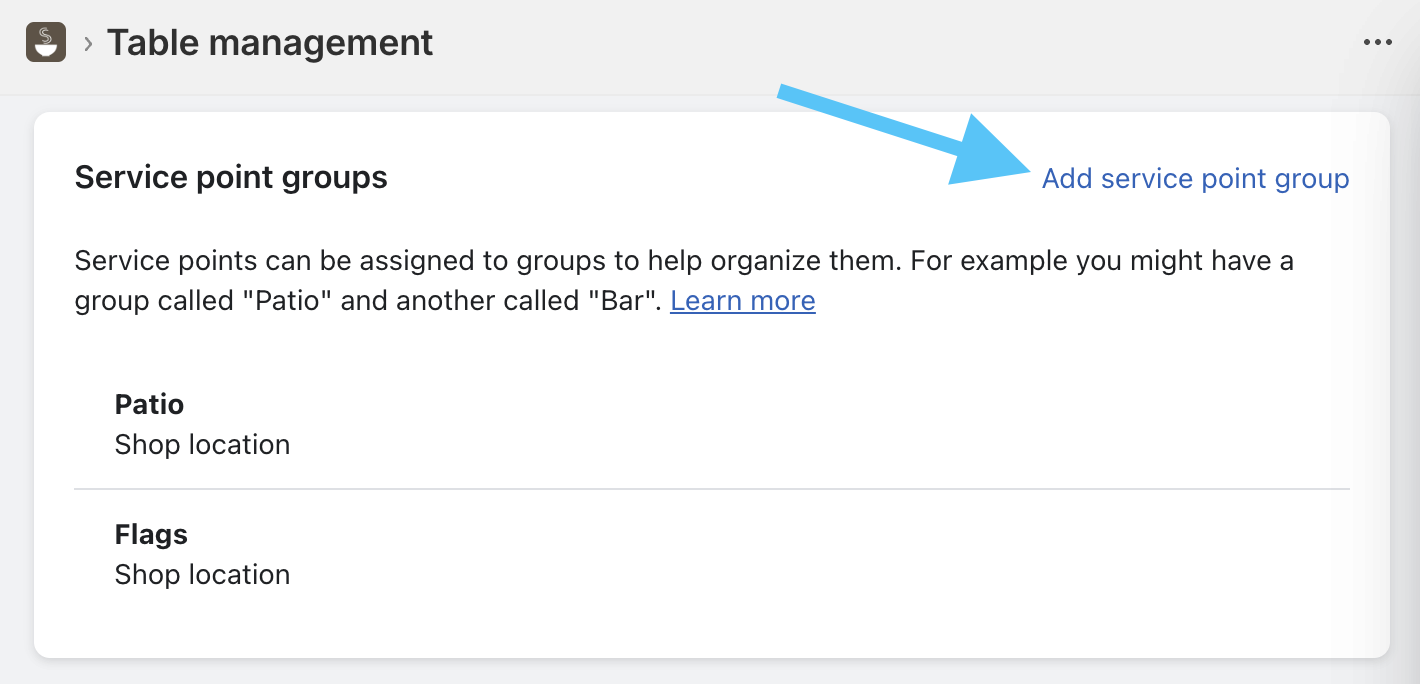
First step is to create service points groups:
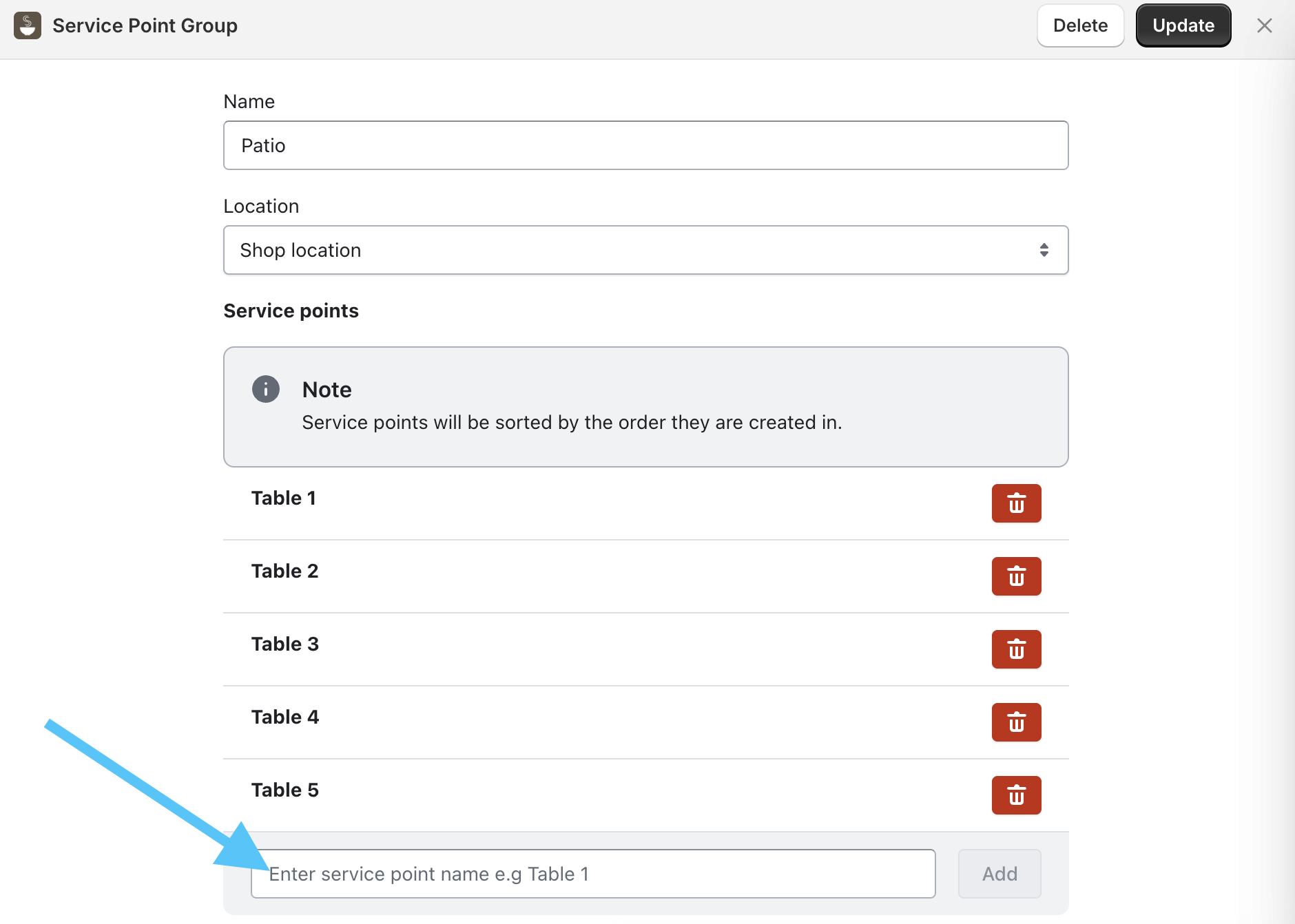
Then create service points:
How to use table management
Once the service points and groups have been created, you can use them in the Simmer POS extension when editing a ticket or via the Service Points tile on the Simmer Grid:
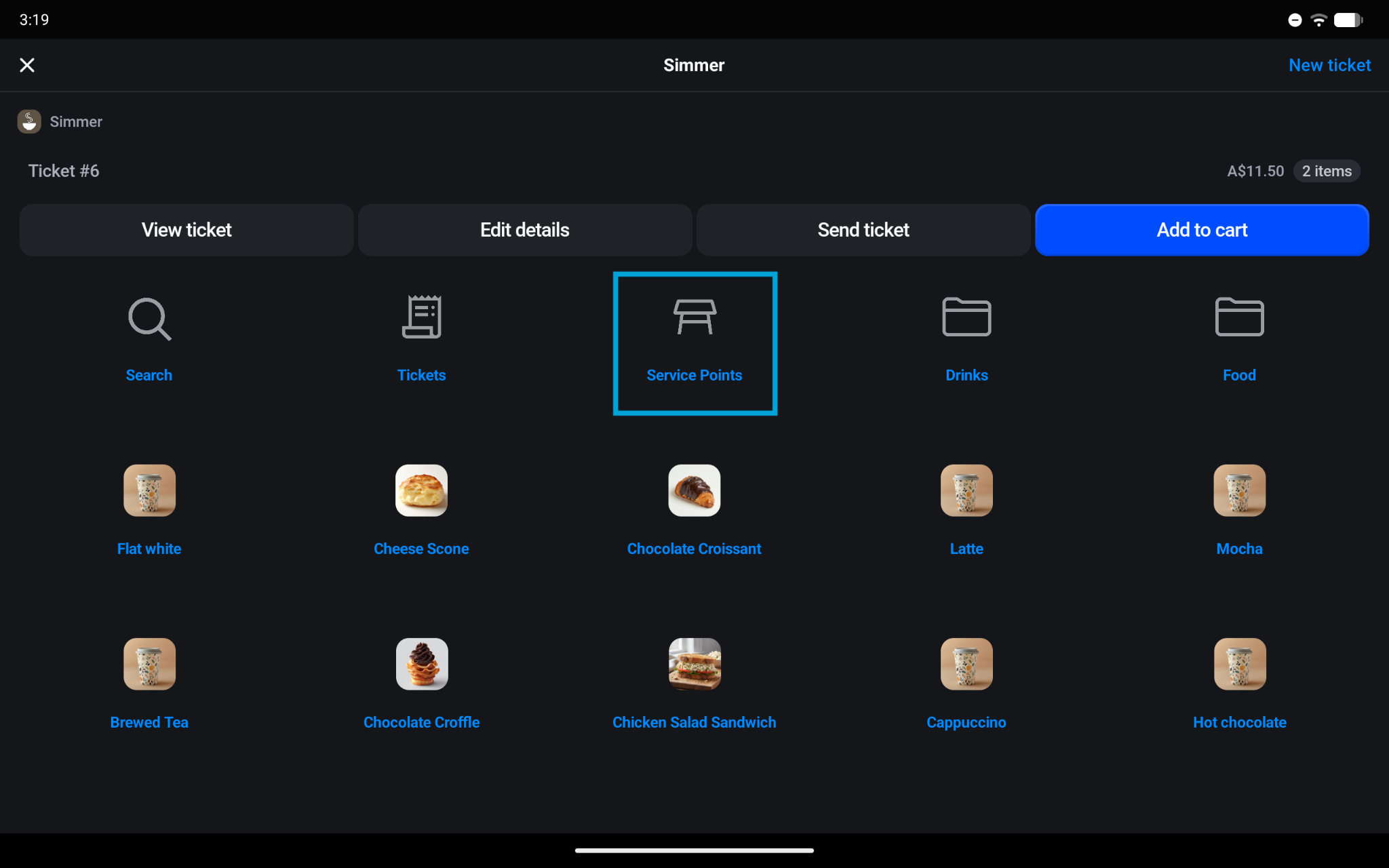
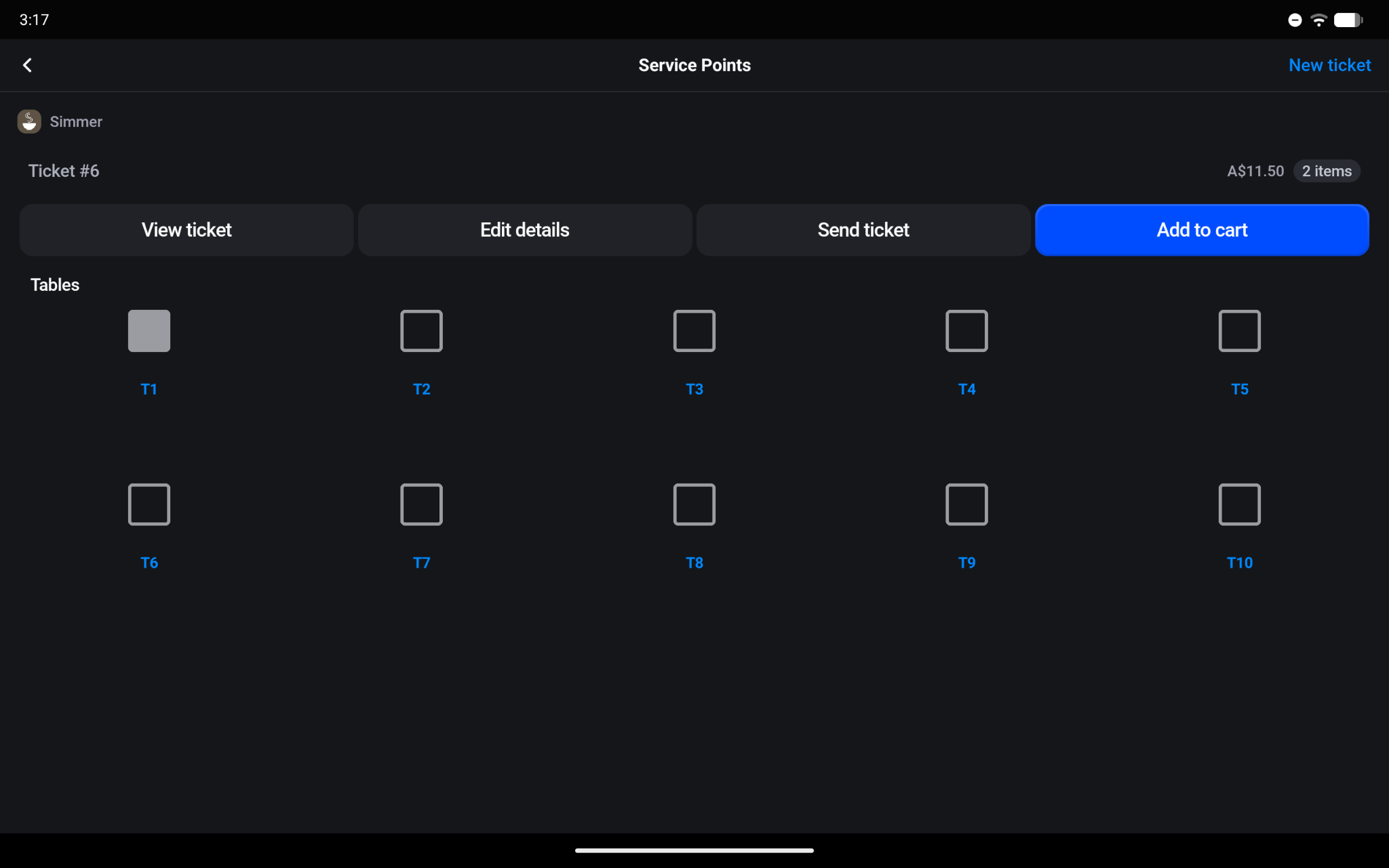
Selecting an occupied service point (◼) will make the ticket associated with the service point the currently active ticket.
Selecting an unoccupied service point (◻) will create a ticket and make it the currently selected ticket.
Service points will be cleared as tickets are closed out - either by adding them to cart and accepting payment, or by cancelling the ticket.