
Billing setup
Your billing is determined by the number of active store locations you require.
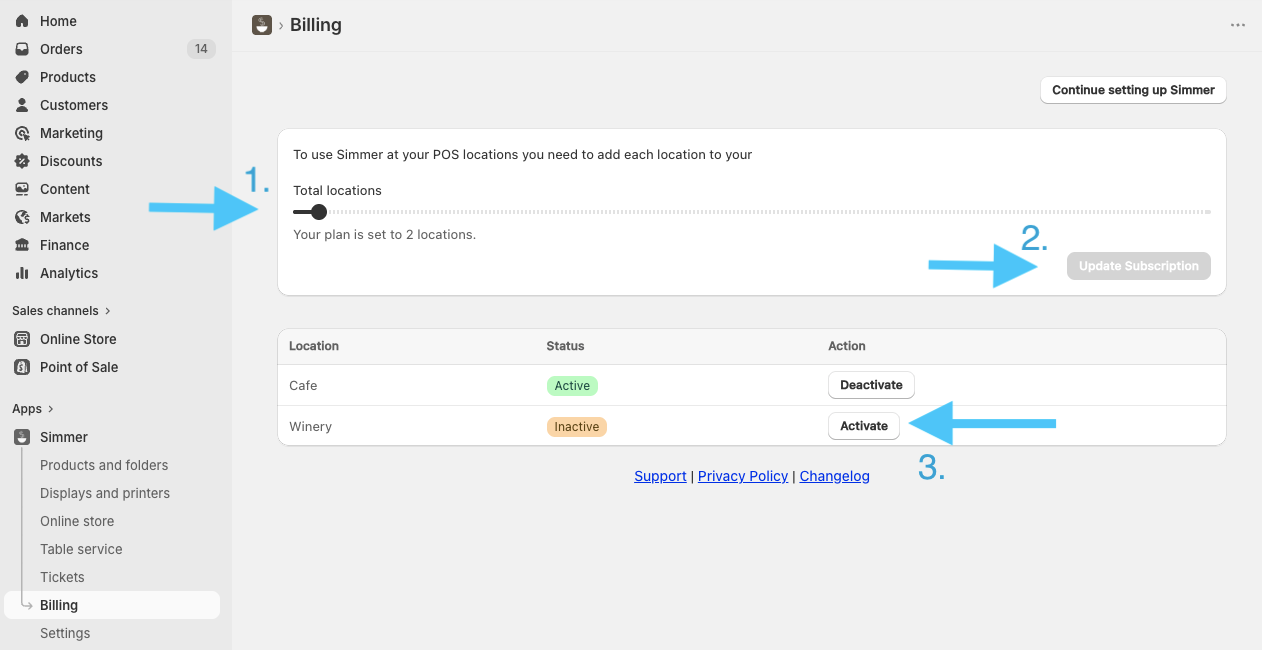
To enable a new store location, open the Simmer app in your Shopify Admin, navigate to Billing, then:
- Use the Total locations slider to increase the number of locations to the amount you need.
- Click Update Subscription, you will be taken to the Shopify subscription approval page where you can confirm the updated charge.
- Once approved you will be redirected back to our Billing page, where you can activate the Shopify Locations that you need to use via the Activate button.
If you have any questions, please contact help@simmerpos.com